How a shop opens
From your application to your first sale: each step in order, who acts and what you prepare in Ultineo E-commerce.
The eight steps at a glance
1. Your application
Two conditions and one form
2. The review by our team
A reply by email
3. Your account opens
Free once accepted
4. Your workspace
Identity, theme, pages and catalogue
5. Countries
The supported countries you deliver to
6. Payments
ご自身のStripe、AdyenまたはPayPalアカウント
7. Drafts, then publication
The provided address or your own domain
8. 注文、アフターサービス、請求書
週次請求書、明細ごと
1. Your application
You apply with the application form. Ultineo E-commerce opens an account for a business that has been operating for at least six months and whose products can be shipped and delivered to at least three countries. The form asks for your surname and given name, your email address and phone number, your company and its country, your annual revenue, your project, where you sell today, the markets you target, your website, how you heard about Ultineo and your request, then asks you to confirm the two conditions.
Who acts. You apply.
In detail
2. The review by our team
Our team reviews each application against the two conditions before any account is opened: there is no self-service sign-up. The answer is sent by email to the address given in the form.
Who acts. The Ultineo team reviews the application and replies to you.
3. Your account opens
Once the application is accepted, your account is opened and you sign in to your shop workspace. Opening the account is free, with no monthly fee and no minimum commitment.
Who acts. Ultineo opens the account; you sign in.
In detail
4. Your workspace
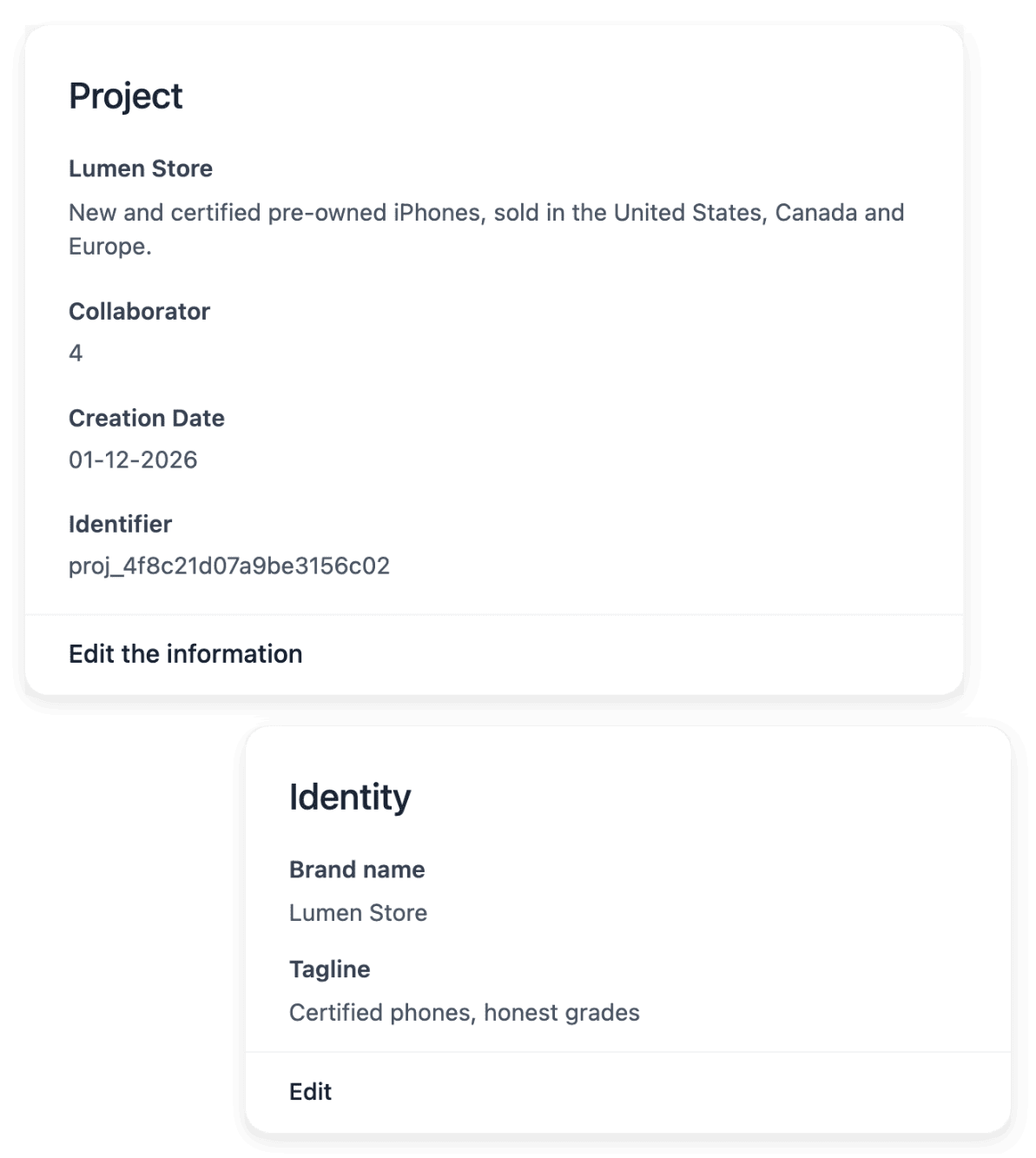
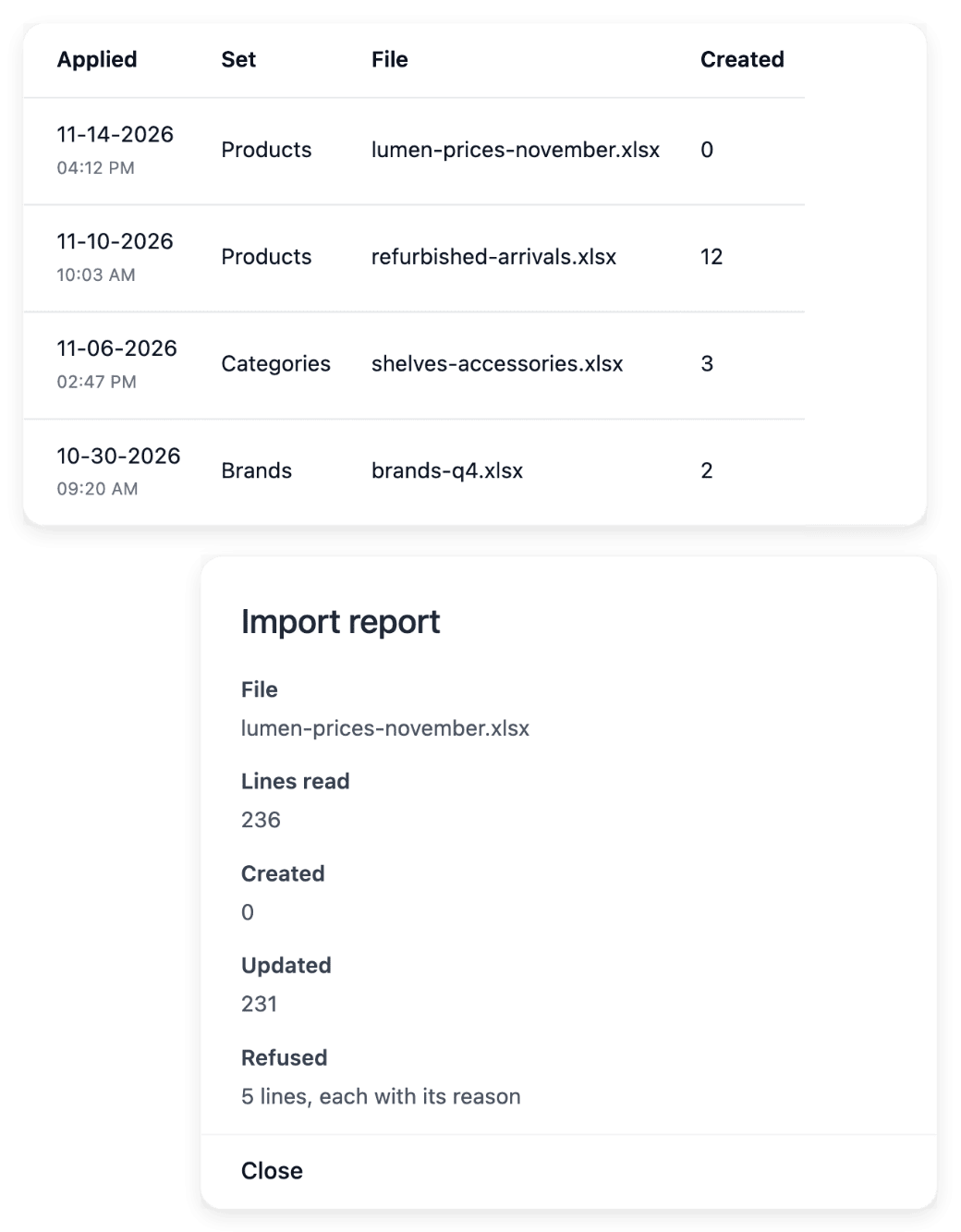
In the workspace you set the shop’s identity, adjust its theme and build its pages and sections. You add the catalogue product by product or import it from a CSV file: each import returns a report line by line, so you see which lines were applied and which need a correction.
Who acts. You prepare the shop.
In detail
5. Countries
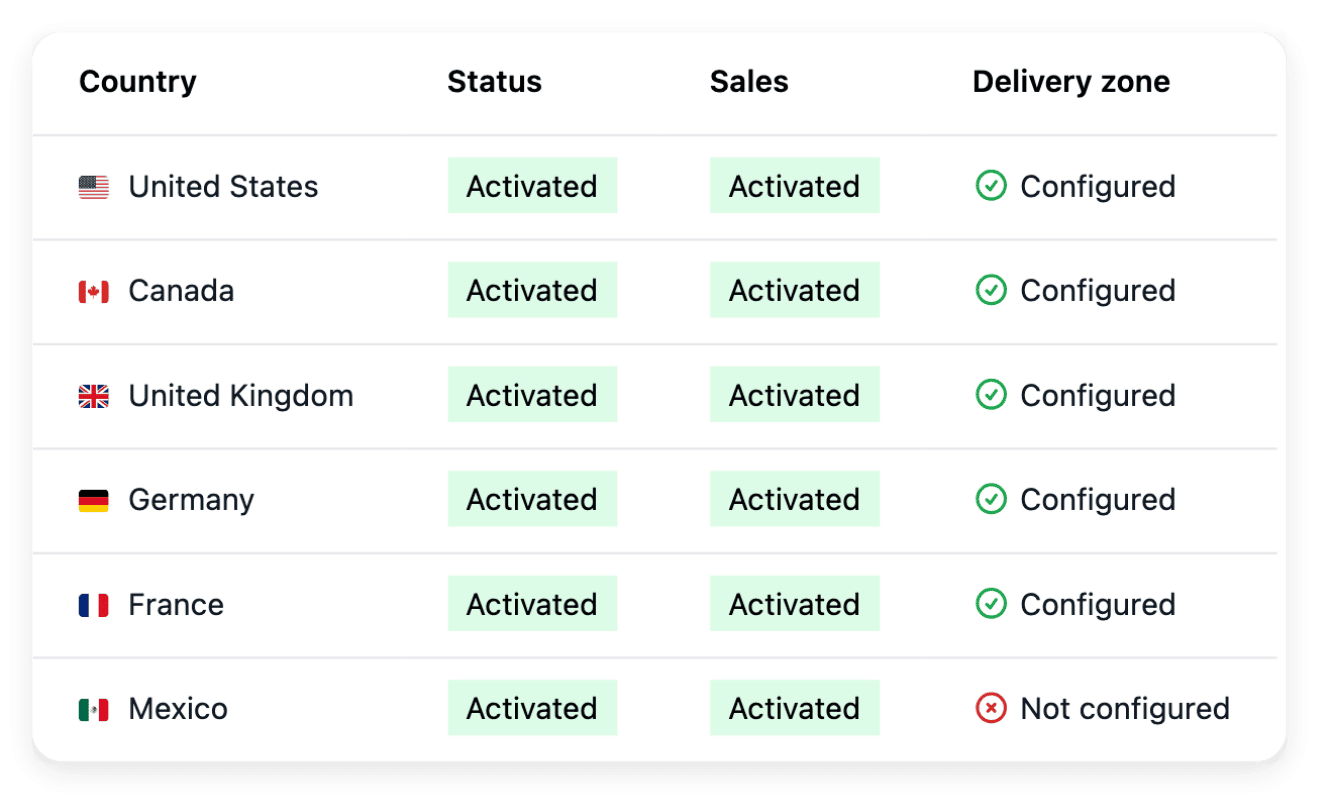
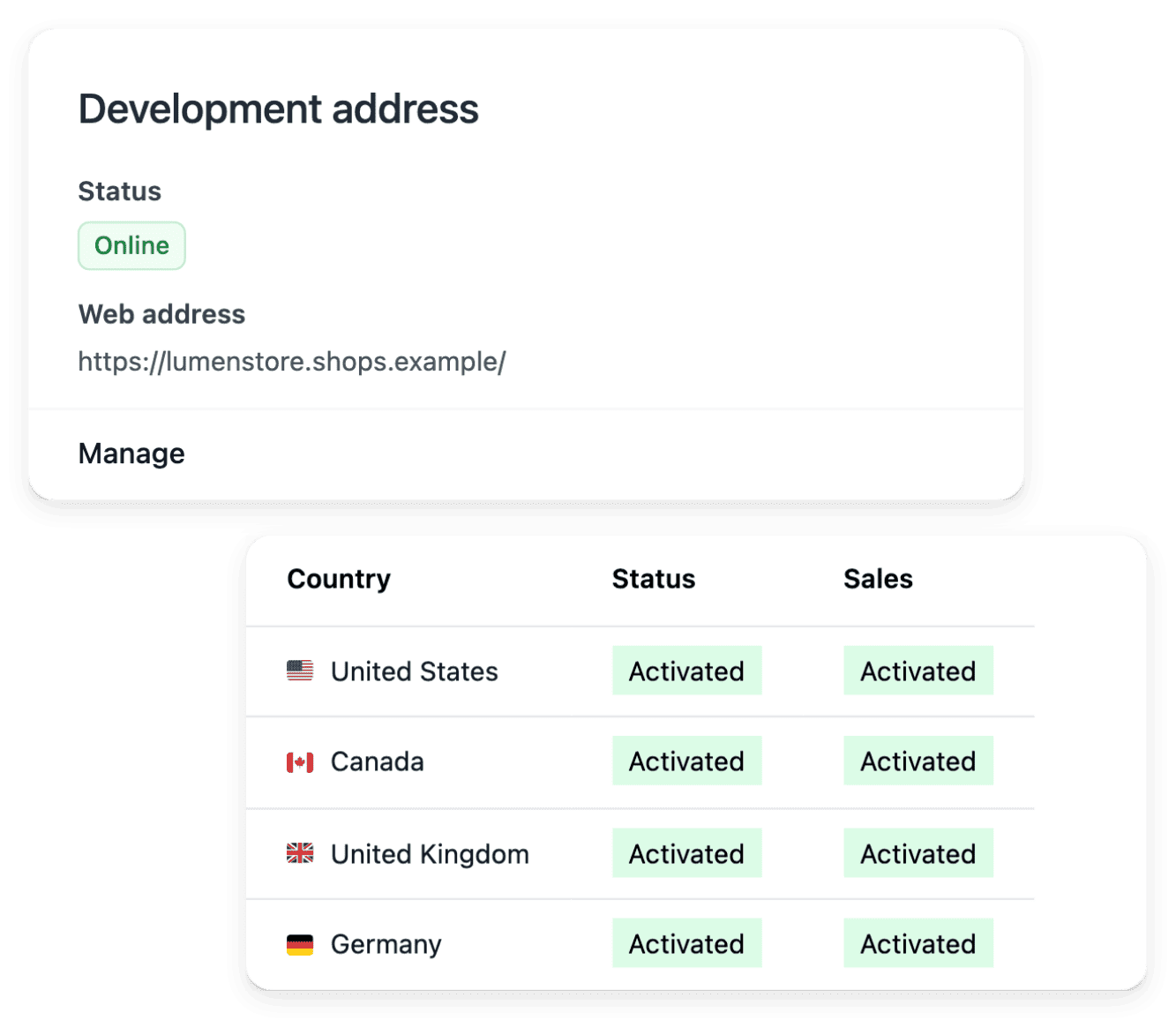
You activate the supported countries you deliver to, each as its own country version, with no activation fee. For each one you set the delivery settings and the currency it shows, with an optional price adjustment. The shop’s texts are translated into each language served, without overwriting your own wording.
Who acts. You choose the countries and their delivery settings.
In detail
6. Payments
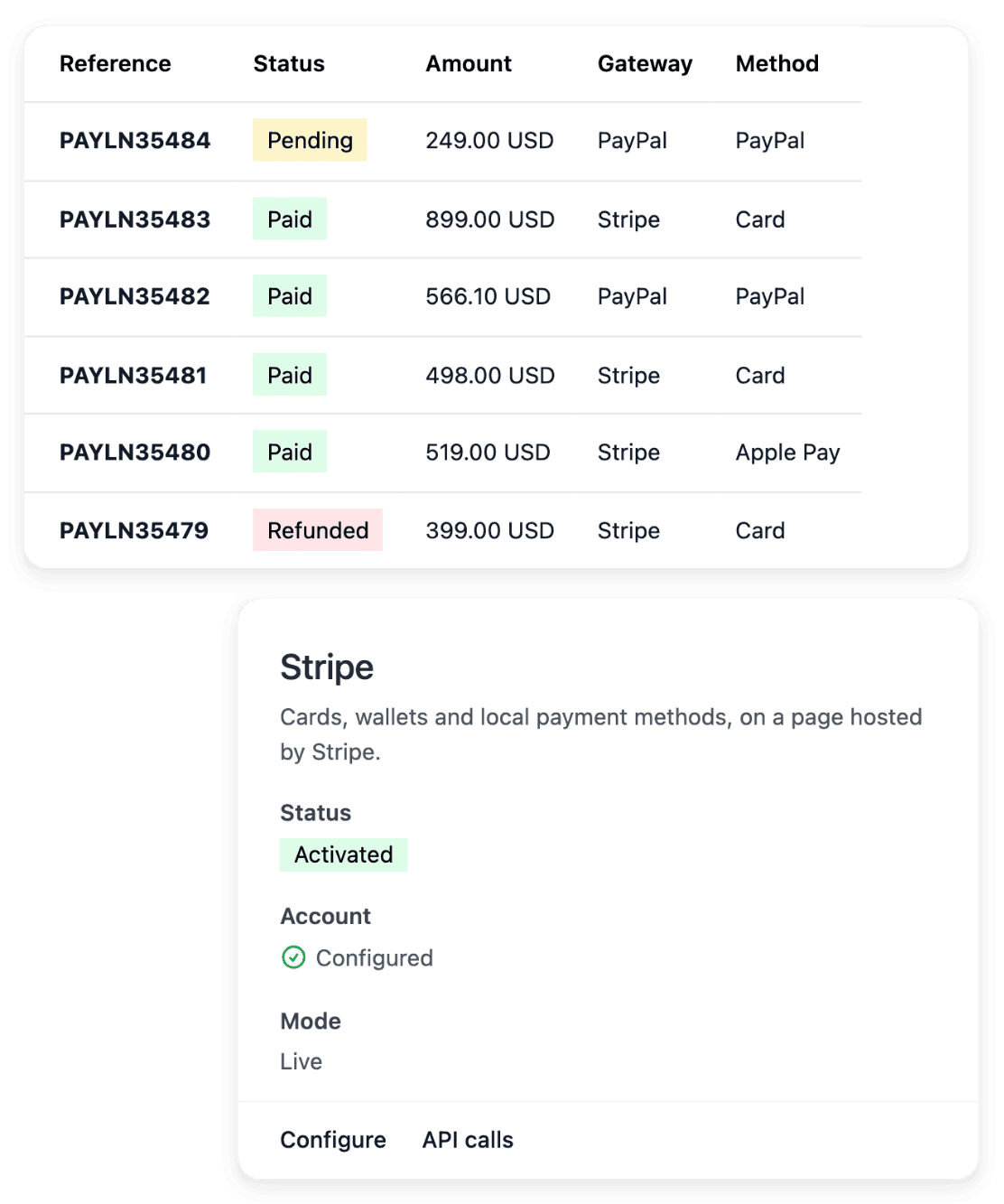
You connect your own Stripe, Adyen or PayPal account: your buyers pay into that account and Ultineo does not collect your sales. The payment method is activated after a live check by the provider.
Who acts. You connect your account; the provider checks it.
In detail
8. 注文、アフターサービス、請求書
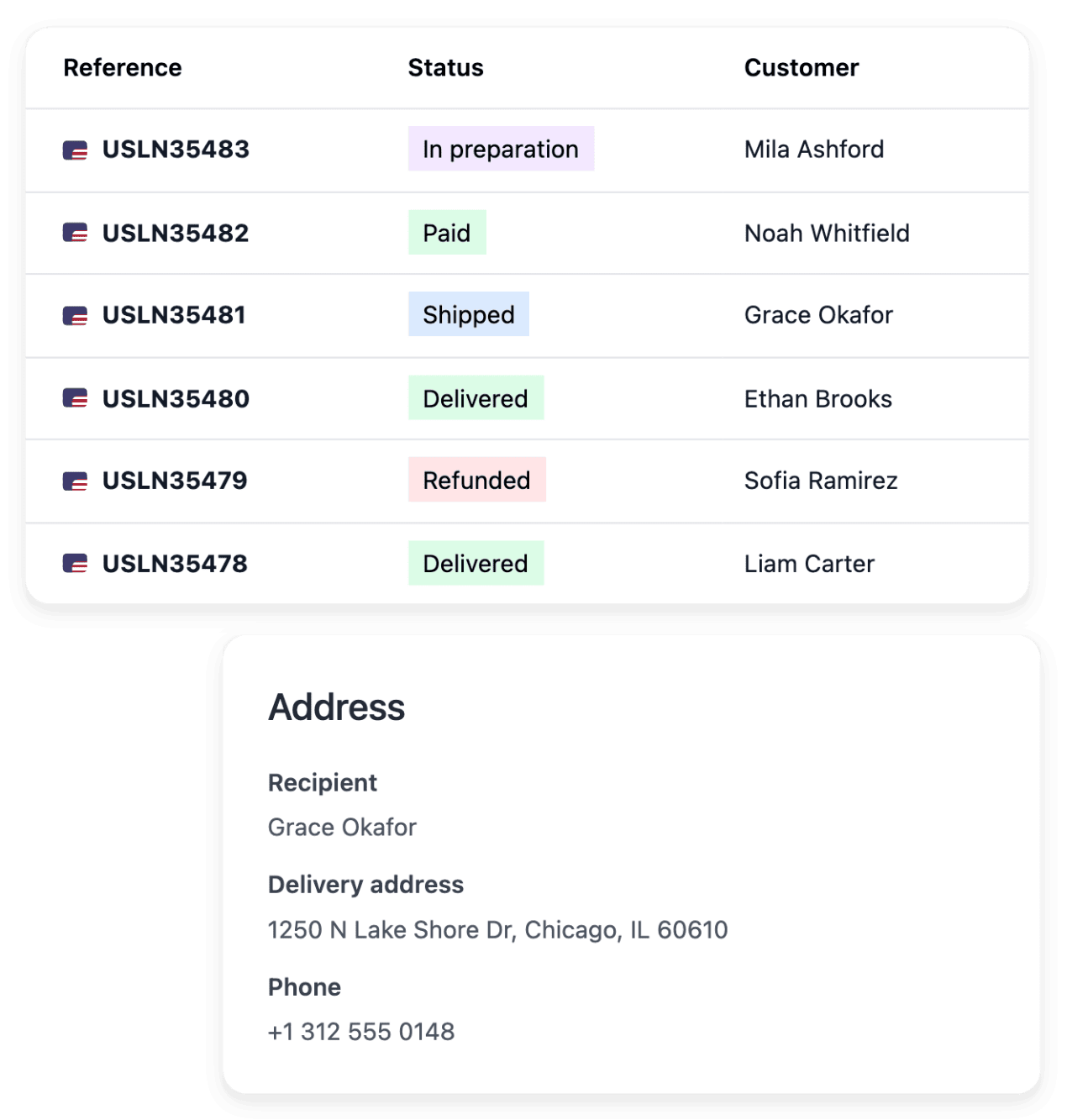
注文は支払と発送とともにワークスペースに到達します。返品、返金、受取拒否、承运者クレームは注文に紐付いたまま保持されます。毎週Ultineoは、回収された支払ごとに1行のコミッション、返金ごとに1行のクレジット、および使用したメータードオペレーションを請求します。
Who acts. 店はあなたが運営しています。Ultineoは毎週請求書を送ります。
In detail
よくある質問
はい。申請が承認されると、アカウント開設は無料となり、月額料金は発生せず、最低契約期間もありません。
これらはUltineoの販売手数料とは別です。対応しているStripe、Adyen、PayPalのご自身のアカウントは、設定が完了すれば利用できます。ご利用のプロバイダーが独自の料金と条件を適用します。
対応している国、言語、通貨の追加には、数の上限も有効化の追加料金もありません。ただし、配送、決済、翻訳の準備は必要です。従量制のサービスや外部費用は引き続き別途かかります。
Billing follows a Monday-to-Sunday week in UTC. The following week allows adjustments, then the period is finalized and invoiced. The payment deadline is the one agreed for your account. An invoice still unpaid after its due date suspends your shop’s domains until it is settled.