Egészség és emberek · Oktatás és iskolák
MI-alkalmazások iskoláknak és tanároknak
Készítse elő az órákat és a kvízeket, fogalmazza meg a szöveges értékeléseket, és tartsa mozgásban az iskolatitkárság ügyeit.
Amit ezek az alkalmazások átvállalnak
- Előkészített órák
Állítson össze óratervet egy téma és egy szint alapján, és írjon kvízkérdéseket, amelyek ellenőrzik a tanultakat.
- Értékelések a megfelelő szavakkal
Fogalmazza meg a bizonyítványok szöveges értékelését, és tűzzön ki egyértelmű célokat a tanuló fejlesztési tervében.
- Gördülékeny iskolai ügyintézés
Rendezze a hiányzási igazolásokat, irányítsa a fejlesztési kérelmeket prioritás szerint, és nyerje ki egy felvételi érdeklődés adatait.
Alkalmazások ebben a szakmában
- Lesson Plan Builder
Returns a complete single-lesson plan with timings, differentiation and resources for the topic you enter.
- Quiz Item Writer
Turns your lesson material into numbered multiple-choice questions with answer keys and mark scheme notes.
- Report Card Phrasing
Turns your rough attainment notes into a polished end-of-term report comment for one student.
- Support Plan Targets
Drafts measurable support-plan targets with classroom strategies and review points from a description of a pupil's barriers.
- Absence Note Sorter
Sorts a parent's absence message into a category, an authorisation call, the dates involved and the office action.
- Referral Priority Router
Triages a staff concern referral into a concern type, urgency level and the member of staff who should own it.
- Admissions Enquiry Extractor
Pulls the family and pupil details out of an admissions enquiry into clean labelled fields ready for the register.
- Behaviour Incident Log
Converts a teacher's account of an incident into a factual, opinion-free behaviour record with follow-up actions.
- Rubric Grade Assistant
Applies your marking rubric to a piece of student work and returns criterion marks, evidence and a total.
- Applicant Essay Screener
Scores a personal statement against selection criteria and recommends interview, hold or decline.
- Reading Level Gauge
Estimates the reading age of a passage and says whether it suits your class, with edits to make it accessible.
- Essay Feedback Marker
Gives a student formative feedback on their essay with quoted evidence and rewrite examples, without a grade.
- Curriculum Coverage Review
Audits a scheme of work against required objectives and returns a coverage percentage plus the top gaps.
- Bursary Eligibility Check
Applies your published bursary rules to one application and returns an eligibility recommendation with the deciding clauses.
- Trip Risk Verdict
Reviews a proposed school trip and returns an approval verdict with hazards, control measures and outstanding paperwork.
- Syllabus Parent Digest
Condenses a term's syllabus into a plain-language one-page note for parents with ways to help at home.
- Staff Briefing Recap
Turns messy staff briefing notes into decisions, owned actions with deadlines and carried-over items.
- Home Language Letter
Translates a school letter into a family's home language while keeping dates, times and instructions exact.
- Math Solution Walkthrough
Produces a step-by-step worked solution a student can follow alone, with a sanity check and a common pitfall.
- Gradebook Formula Helper
Writes the spreadsheet formula your gradebook needs, explains each part and names the cell to paste it into.
- Cover Lesson Brief
Turns your lesson outline into a self-contained brief a cover teacher can pick up and run.
- Knowledge Organiser Draft
Returns a one-page knowledge organiser with key vocabulary, core facts and recall questions for a topic.
- Homework Task Sheet
Produces a ready-to-hand-out homework sheet with instructions, success criteria and a time guide.
- Practice Problem Set
Generates a graded set of practice questions on one skill with a fully worked answer key.
- Accessible Text Rewrite
Rewrites a passage at an easier reading level while keeping every fact and technical term intact.
- Student Reference Letter
Drafts a reference letter for a student's college, apprenticeship or job application from your notes.
- Assembly Script Draft
Writes a timed assembly script on your theme with a story, questions for the hall and a closing reflection.
- School Newsletter Draft
Turns a list of rough items into a finished school newsletter with headed sections and a diary list.
- Parent Email Response
Drafts a reply to a parent's email that answers each point raised and states the next step.
- Parent Complaint Triage
Sorts a parent complaint into a category, a policy stage, an owner and a response deadline.
- Attendance Pattern Review
Reviews a pupil's attendance record and reports the pattern, the risk level and what to do next.
- Assessment Data Commentary
Turns a class or cohort mark table into written commentary on strengths, gaps and next teaching steps.
- Lesson Observation Feedback
Turns raw lesson observation notes into structured developmental feedback for the teacher observed.
- Practical Risk Assessment
Reviews a planned classroom practical and lists hazards, control measures and pre-lesson checks.
- Language Answer Corrector
Marks a student's foreign-language writing, correcting each error with a reason and a clean final version.
- Chronology Timeline Builder
Builds a dated chronology of a pupil's logged incidents and contacts from your pasted notes.
- Flashcard Deck Builder
Converts revision notes into a numbered deck of question-and-answer flashcards.
- Sanction Step Advisor
Applies your behaviour policy to a logged incident and recommends the next step with the clause behind it.
- Access Arrangement Check
Checks a pupil's evidence of need against exam access arrangement criteria and says what is supported.
- Careers Pathway Options
Suggests post-school pathway options that fit a student's interests, results and constraints, with next steps.
- Governor Report Summary
Condenses a term's headline information into a governor report section with risks and decisions requested.
- Policy Plain English
Rewrites a school policy into a short plain-language summary that staff or parents will actually read.
- Revision Note Condenser
Condenses a chapter or set of class notes into tight revision notes a student can learn from.
- Revision Plan Builder
Builds a day-by-day revision timetable across your subjects and the study time you actually have.
- EAL Subject Glossary
Builds a bilingual glossary of the subject words a newly arrived pupil needs for your topic.
- EHCP Provision Checklist
Turns an education, health and care plan into a numbered checklist of the provision a class teacher has to deliver.
- Mark Scheme Decoder
Rewrites an exam board mark scheme as plain what-earns-the-mark guidance a class can actually use.
- Meeting Minutes Actions
Pulls every agreed action out of a governing body or leadership team minute set, with owner and deadline.
- Inspection Findings Plan
Turns the areas for improvement in an inspection report into a first-draft action plan with leads and sequencing.
- Timetable Clash Finder
Reads a timetable export and lists every teacher, room or class booked twice in the same period.
- Care Plan Brief
Condenses an individual healthcare plan into a one-page card of what staff must do and when.
- Exam Entry Audit
Checks an exam entries export for duplicates, missing candidate details and tier or option mismatches before the deadline.
- Parent Survey Themes
Groups the free-text answers in a parent or pupil survey export into the themes that genuinely recur.
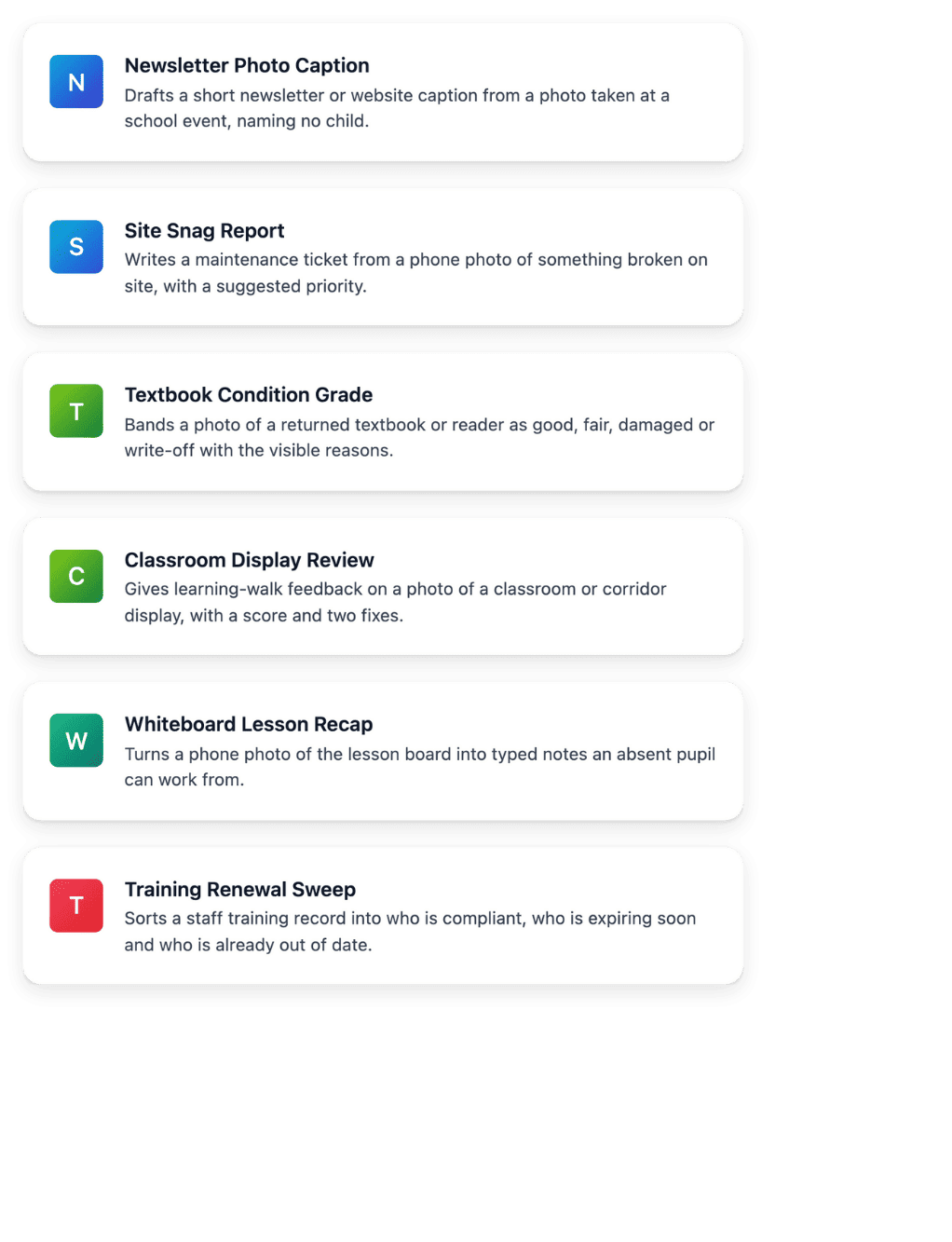
- Training Renewal Sweep
Sorts a staff training record into who is compliant, who is expiring soon and who is already out of date.
- Whiteboard Lesson Recap
Turns a phone photo of the lesson board into typed notes an absent pupil can work from.
- Classroom Display Review
Gives learning-walk feedback on a photo of a classroom or corridor display, with a score and two fixes.
- Textbook Condition Grade
Bands a photo of a returned textbook or reader as good, fair, damaged or write-off with the visible reasons.
- Site Snag Report
Writes a maintenance ticket from a phone photo of something broken on site, with a suggested priority.
- Newsletter Photo Caption
Drafts a short newsletter or website caption from a photo taken at a school event, naming no child.
A katalógus munkaterületeden
The same applications are in the catalogue of your Reasoning workspace, filtered by trade. Open one to run it on your own text, or add it as a step of a chain.
Hogyan működik egy alkalmazás
- Válassza ki a feladatot
Minden alkalmazás a szakma egy feladatát fedi le, egy mondatban leírva.
- Töltse ki a mezőit
Illessze be a jegyzeteit, egy üzenetet vagy egy dokumentumrészletet azokba a mezőkbe, amelyeket az alkalmazás kér.
- Használja a választ
Olvassa el a strukturált eredményt, amelyet másolhat, elküldhet vagy archiválhat, vagy kérje le az Ultineo Reasoning API-n keresztül.
Bízza ezeket a feladatokat az Ultineo Reasoning szolgáltatásra
Mondja el, mely alkalmazásokra van szüksége a csapatának, és megnyitjuk a hozzáférését.
Kérdések ezekről az alkalmazásokról
Yes. You can customize the applications, so their fields and instructions follow your own practice.
Csak azt a tartalmat, amelyet a mezők kérnek, például jegyzeteket, egy üzenetet vagy egy dokumentumrészletet. Ne osszon meg több személyes adatot, mint amennyit a feladat megkövetel.
Igen. Az Ultineo Reasoning API bármely alkalmazást elindít, amelyet a projektje használhat, és visszaadja a válaszát, amint a futtatás elkészült.