How a shop opens
From your application to your first sale: each step in order, who acts and what you prepare in Ultineo E-commerce.
The eight steps at a glance
1. Your application
Two conditions and one form
2. The review by our team
A reply by email
3. Your account opens
Free once accepted
4. Your workspace
Identity, theme, pages and catalogue
5. Countries
The supported countries you deliver to
6. Payments
您自己的 Stripe、Adyen 或 PayPal 账户
7. Drafts, then publication
The provided address or your own domain
8. 订单、售后与账单
每周账单,逐行明细
1. Your application
You apply with the application form. Ultineo E-commerce opens an account for a business that has been operating for at least six months and whose products can be shipped and delivered to at least three countries. The form asks for your surname and given name, your email address and phone number, your company and its country, your annual revenue, your project, where you sell today, the markets you target, your website, how you heard about Ultineo and your request, then asks you to confirm the two conditions.
Who acts. You apply.
In detail
2. The review by our team
Our team reviews each application against the two conditions before any account is opened: there is no self-service sign-up. The answer is sent by email to the address given in the form.
Who acts. The Ultineo team reviews the application and replies to you.
4. Your workspace
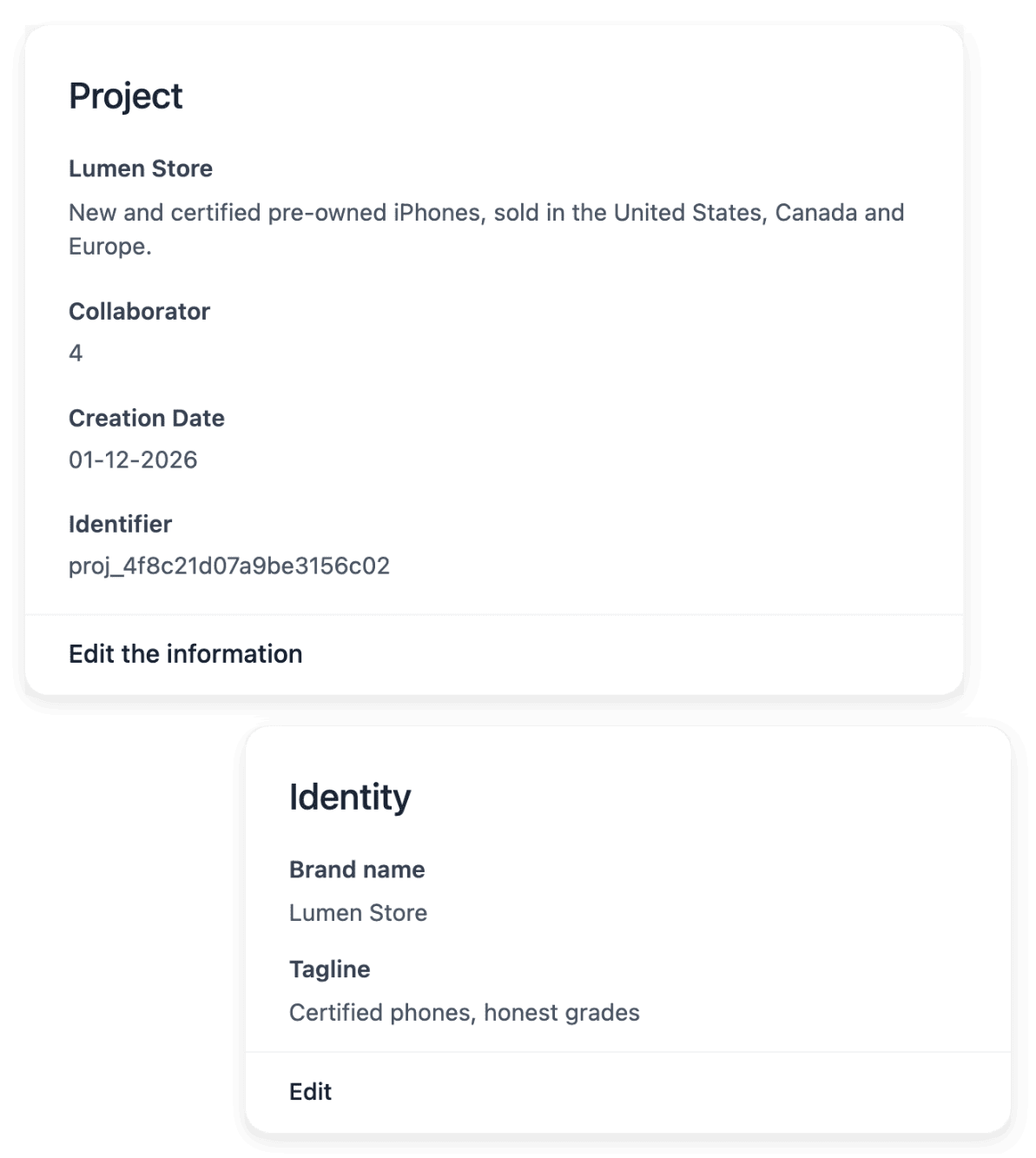
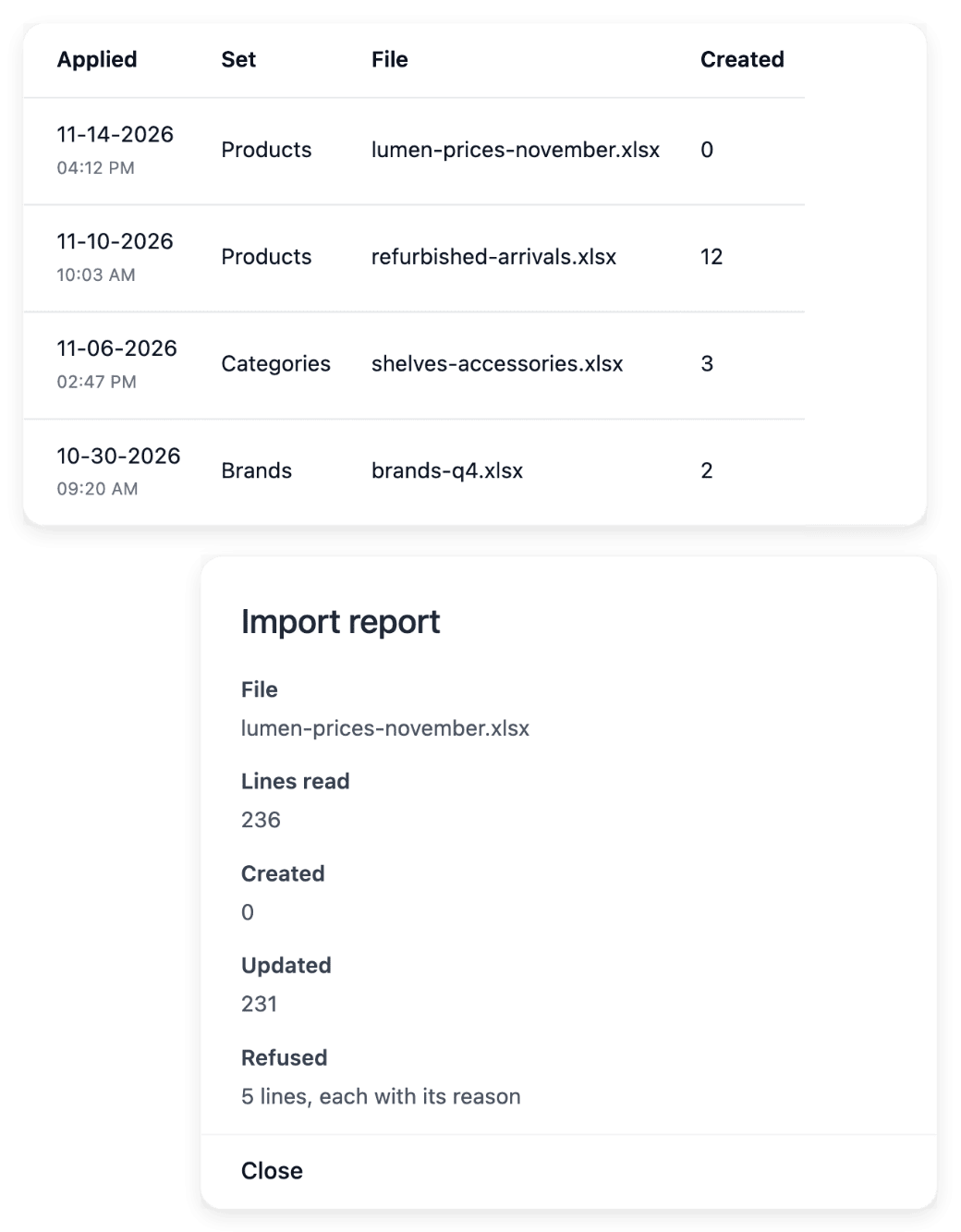
In the workspace you set the shop’s identity, adjust its theme and build its pages and sections. You add the catalogue product by product or import it from a CSV file: each import returns a report line by line, so you see which lines were applied and which need a correction.
Who acts. You prepare the shop.
In detail
5. Countries
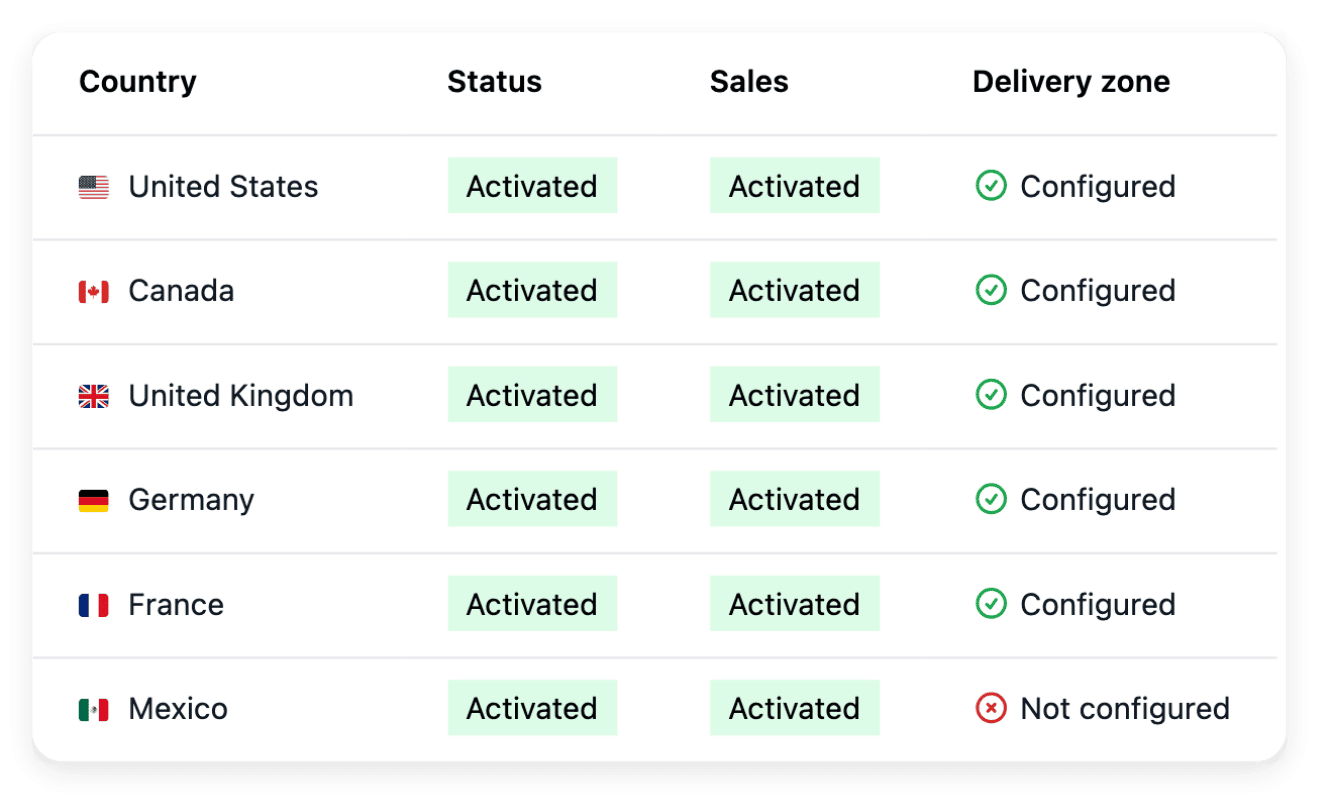
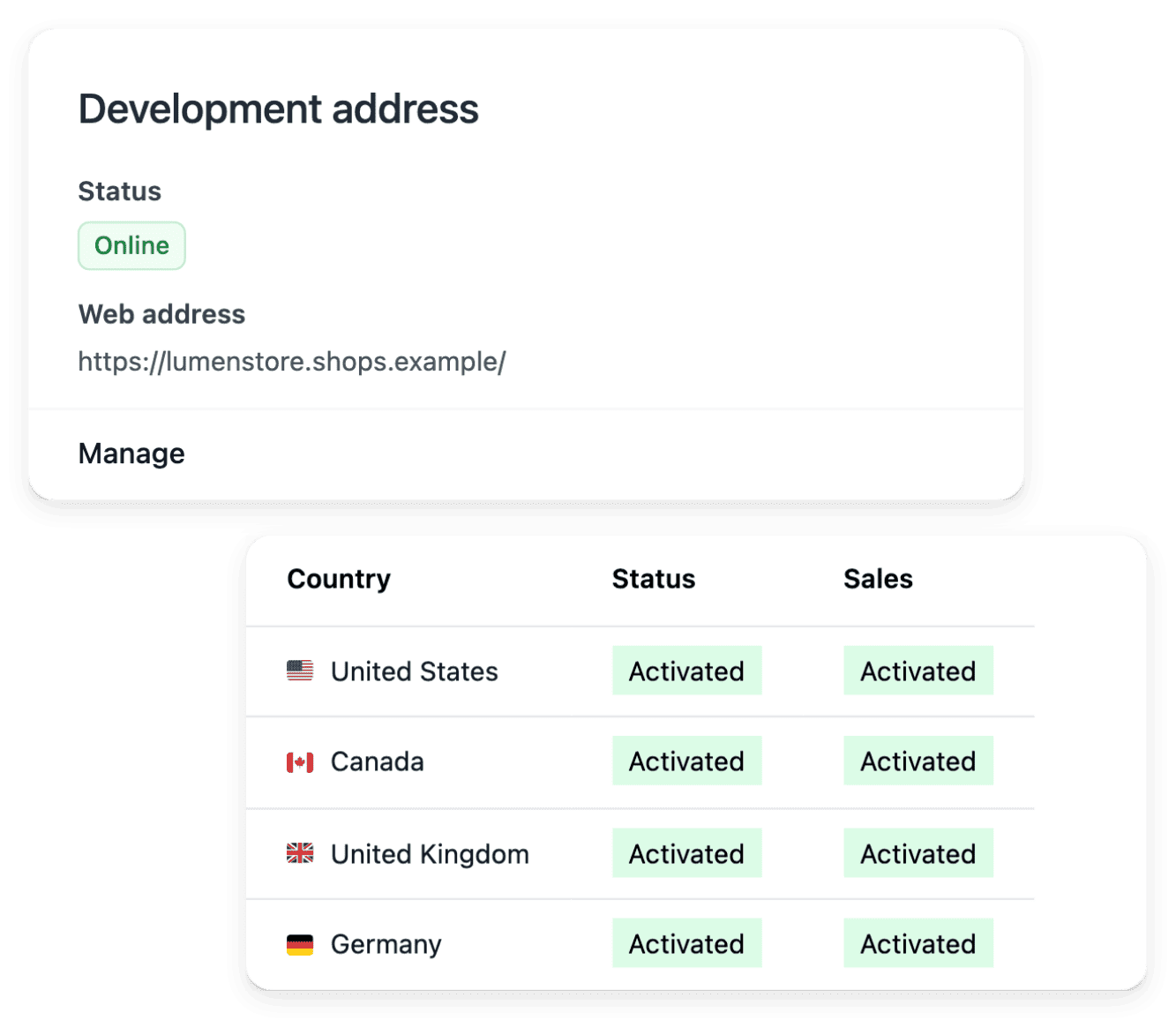
You activate the supported countries you deliver to, each as its own country version, with no activation fee. For each one you set the delivery settings and the currency it shows, with an optional price adjustment. The shop’s texts are translated into each language served, without overwriting your own wording.
Who acts. You choose the countries and their delivery settings.
In detail
6. Payments
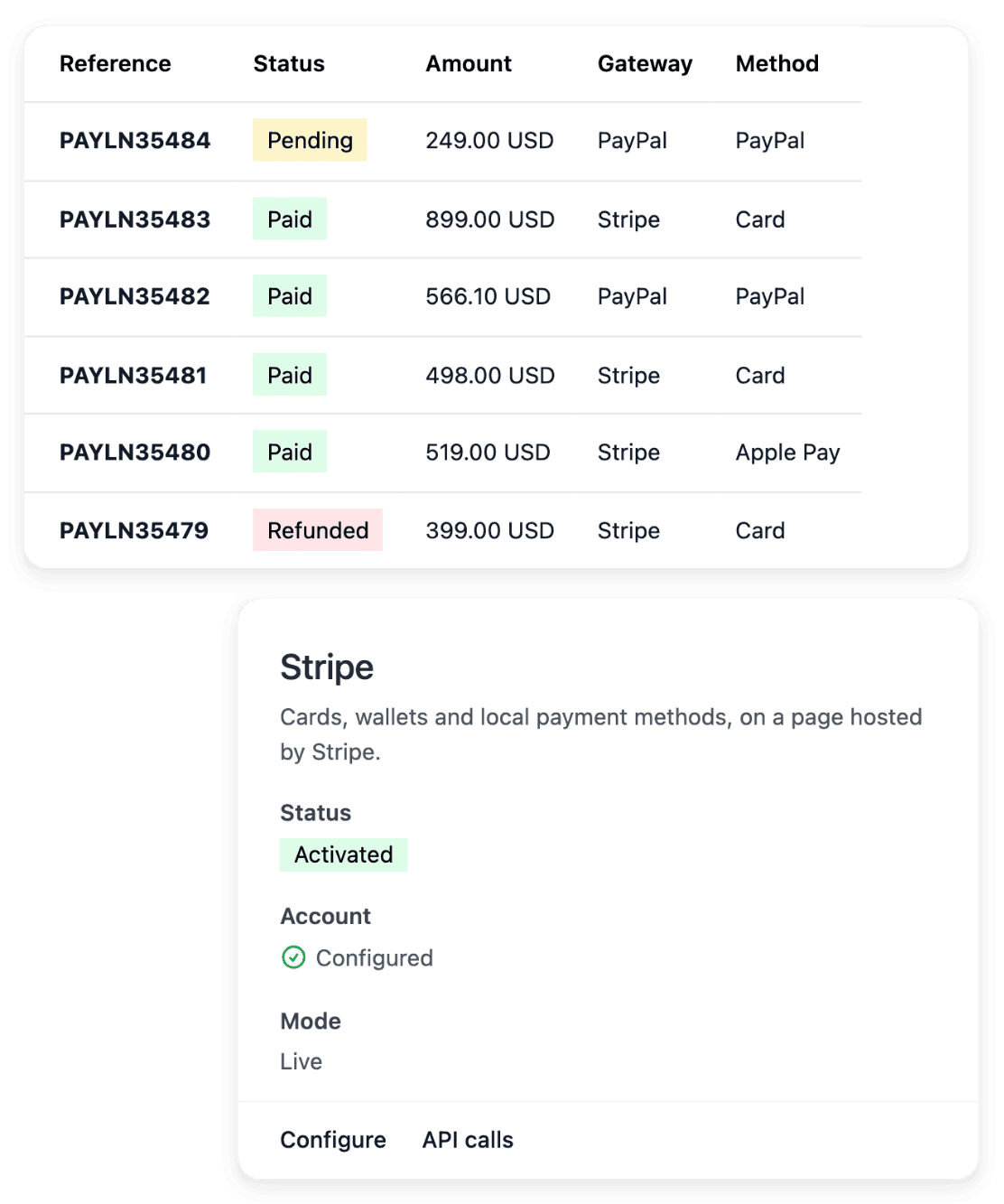
You connect your own Stripe, Adyen or PayPal account: your buyers pay into that account and Ultineo does not collect your sales. The payment method is activated after a live check by the provider.
Who acts. You connect your account; the provider checks it.
In detail
常见问题
是的。您的申请一旦获准,开户即可免费使用,无月费,且无最低消费承诺。
这些费用与 Ultineo 佣金分开计算。待配置就绪后,您可以使用自己受支持的 Stripe、Adyen 或 PayPal 账户。您的服务商会采用其自身的定价和条款。
添加受支持的国家、语言和货币没有数量限制,也没有激活附加费。您仍需准备好配送、支付和翻译;任何按用量计费的服务和外部费用仍单独计算。
Billing follows a Monday-to-Sunday week in UTC. The following week allows adjustments, then the period is finalized and invoiced. The payment deadline is the one agreed for your account. An invoice still unpaid after its due date suspends your shop’s domains until it is settled.