How a shop opens
From your application to your first sale: each step in order, who acts and what you prepare in Ultineo E-commerce.
The eight steps at a glance
1. Your application
Two conditions and one form
2. The review by our team
A reply by email
3. Your account opens
Free once accepted
4. Your workspace
Identity, theme, pages and catalogue
5. Countries
The supported countries you deliver to
6. Payments
Sua própria conta Stripe, Adyen ou PayPal
7. Drafts, then publication
The provided address or your own domain
8. Pedidos, pós-venda e faturamento
Fatura semanal, linha por linha
1. Your application
You apply with the application form. Ultineo E-commerce opens an account for a business that has been operating for at least six months and whose products can be shipped and delivered to at least three countries. The form asks for your surname and given name, your email address and phone number, your company and its country, your annual revenue, your project, where you sell today, the markets you target, your website, how you heard about Ultineo and your request, then asks you to confirm the two conditions.
Who acts. You apply.
In detail
2. The review by our team
Our team reviews each application against the two conditions before any account is opened: there is no self-service sign-up. The answer is sent by email to the address given in the form.
Who acts. The Ultineo team reviews the application and replies to you.
3. Your account opens
Once the application is accepted, your account is opened and you sign in to your shop workspace. Opening the account is free, with no monthly fee and no minimum commitment.
Who acts. Ultineo opens the account; you sign in.
In detail
4. Your workspace
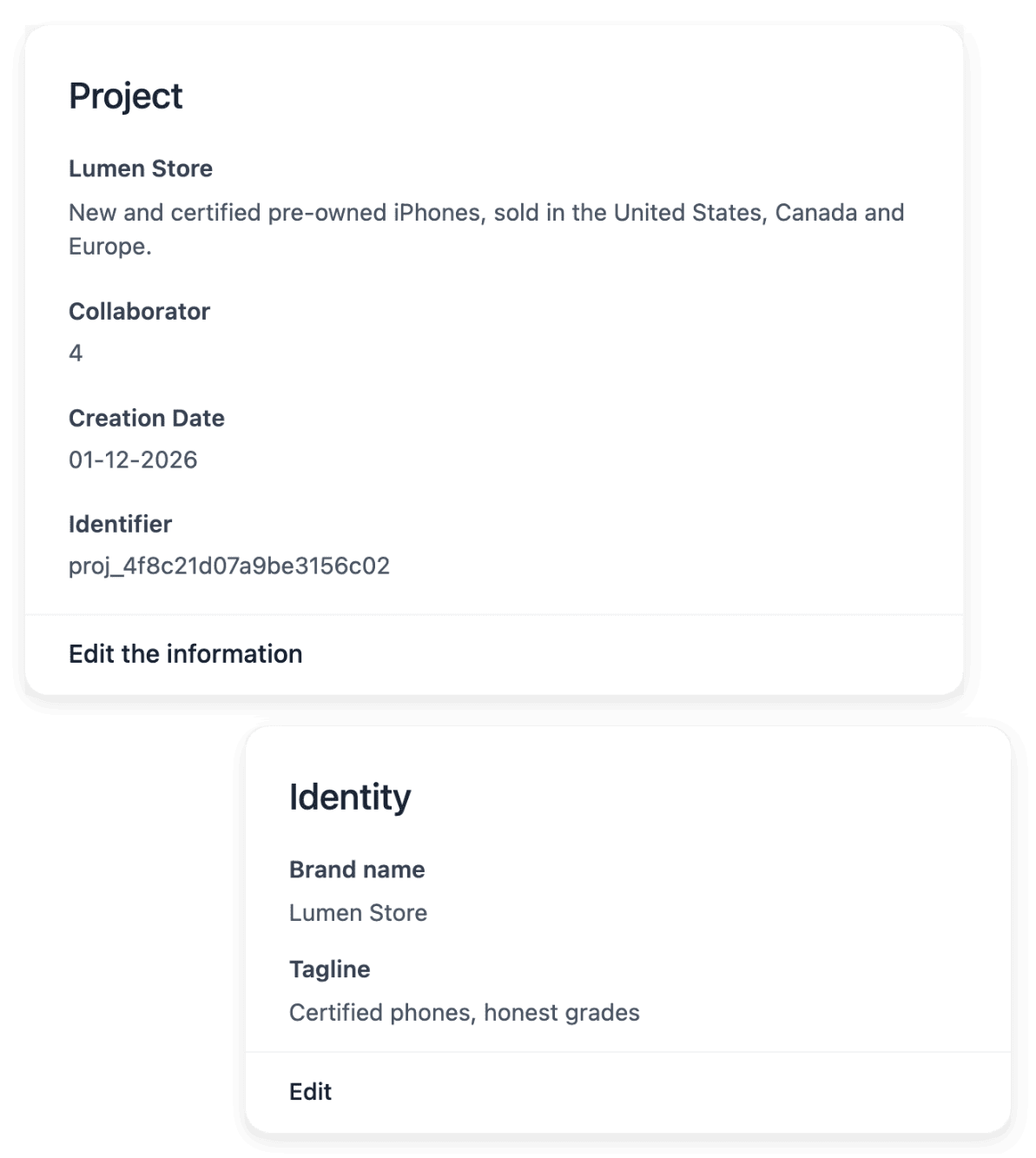
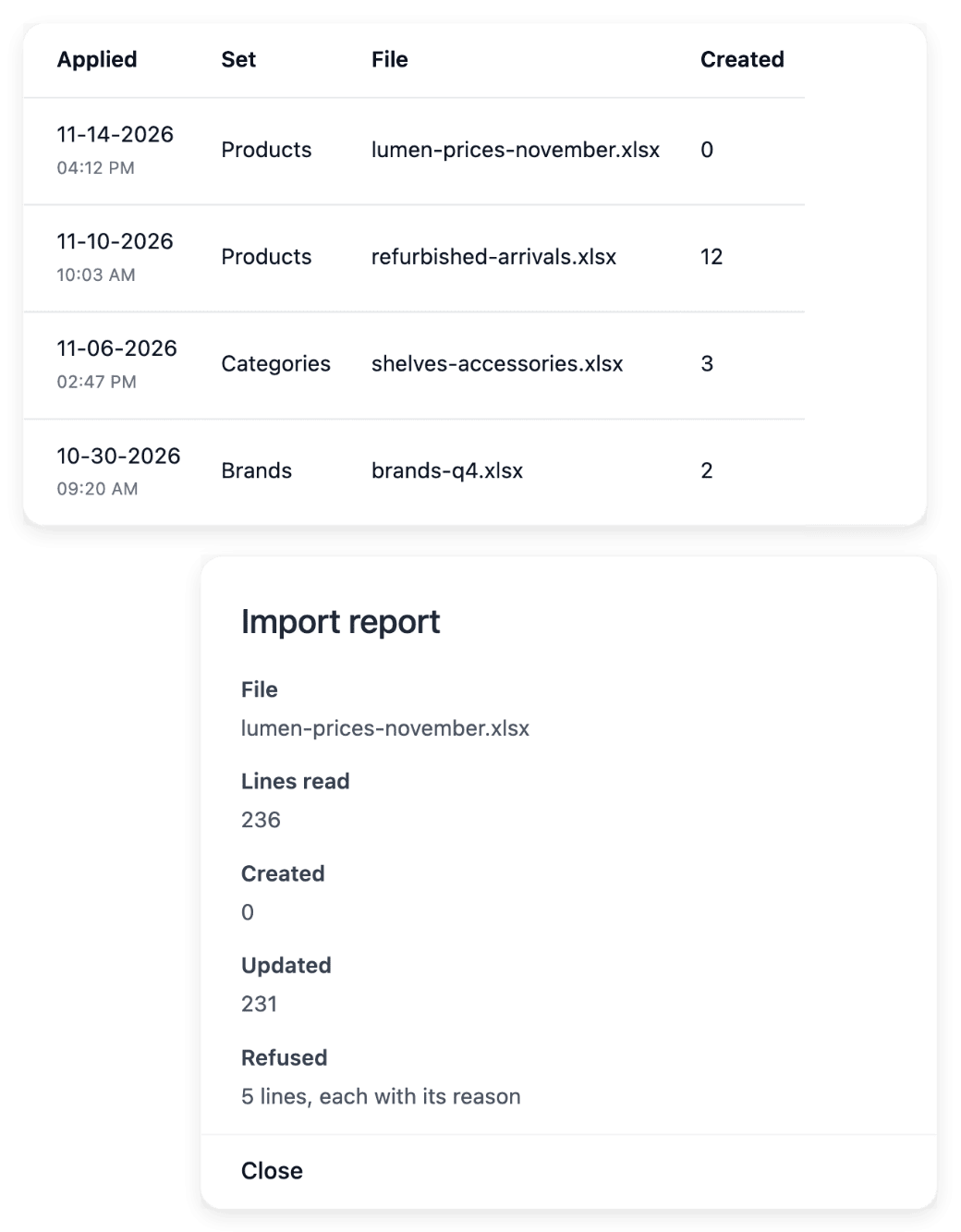
In the workspace you set the shop’s identity, adjust its theme and build its pages and sections. You add the catalogue product by product or import it from a CSV file: each import returns a report line by line, so you see which lines were applied and which need a correction.
Who acts. You prepare the shop.
In detail
5. Countries
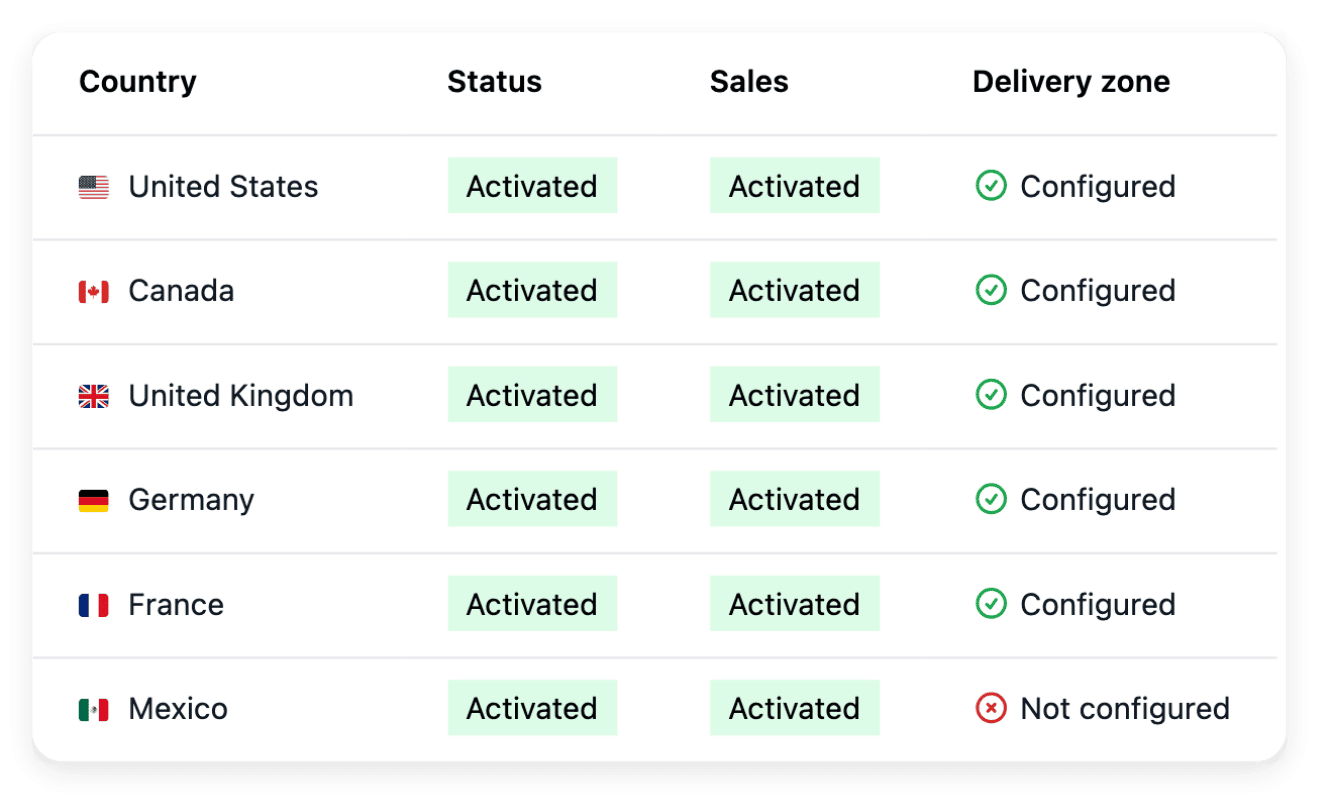
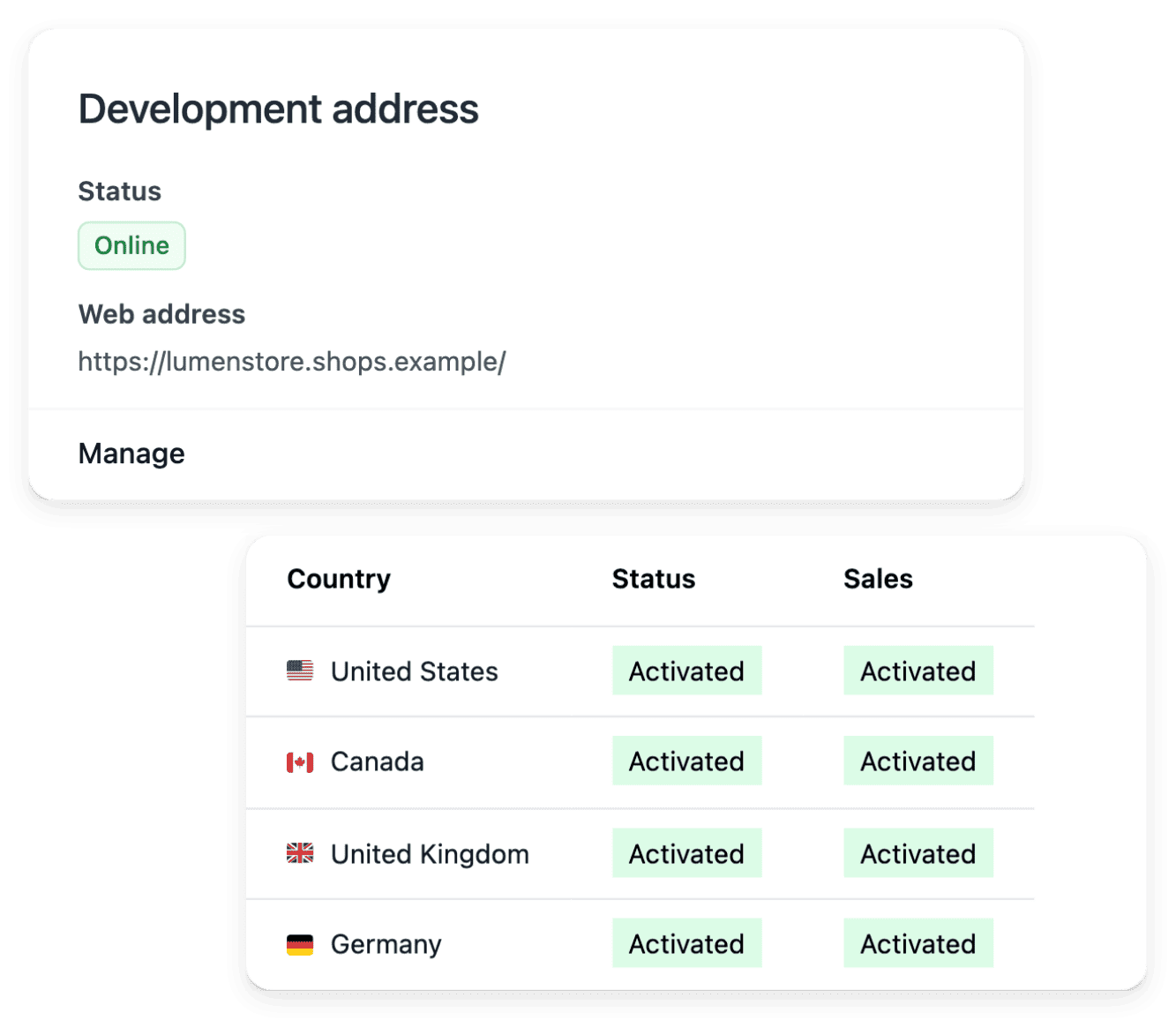
You activate the supported countries you deliver to, each as its own country version, with no activation fee. For each one you set the delivery settings and the currency it shows, with an optional price adjustment. The shop’s texts are translated into each language served, without overwriting your own wording.
Who acts. You choose the countries and their delivery settings.
In detail
6. Payments
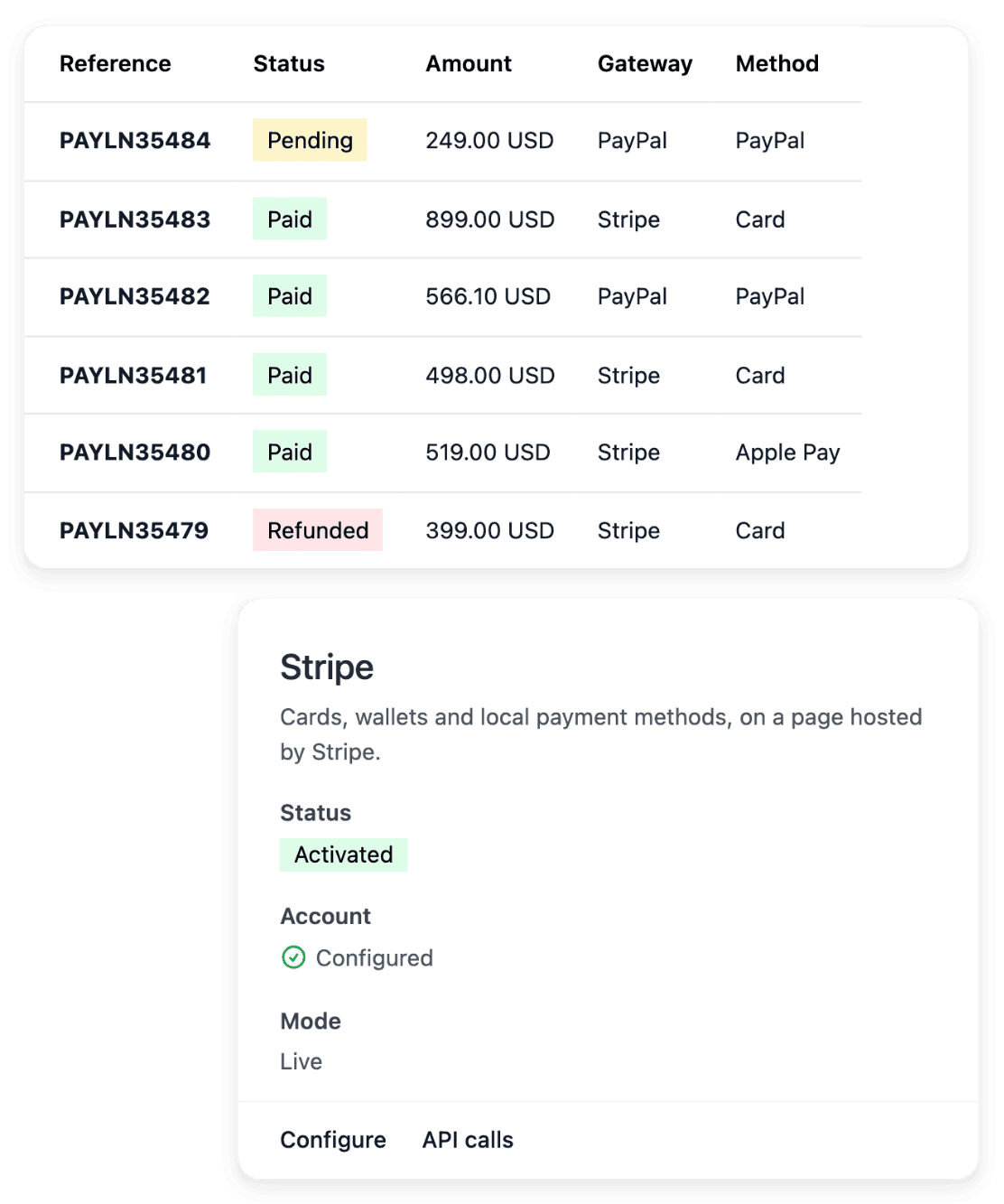
You connect your own Stripe, Adyen or PayPal account: your buyers pay into that account and Ultineo does not collect your sales. The payment method is activated after a live check by the provider.
Who acts. You connect your account; the provider checks it.
In detail
7. Drafts, then publication
You prepare the shop with drafts, then publish it. It is served on the address Ultineo provides, or on your own domain name once you connect it.
Who acts. You publish when the shop is ready.
In detail
8. Pedidos, pós-venda e faturamento
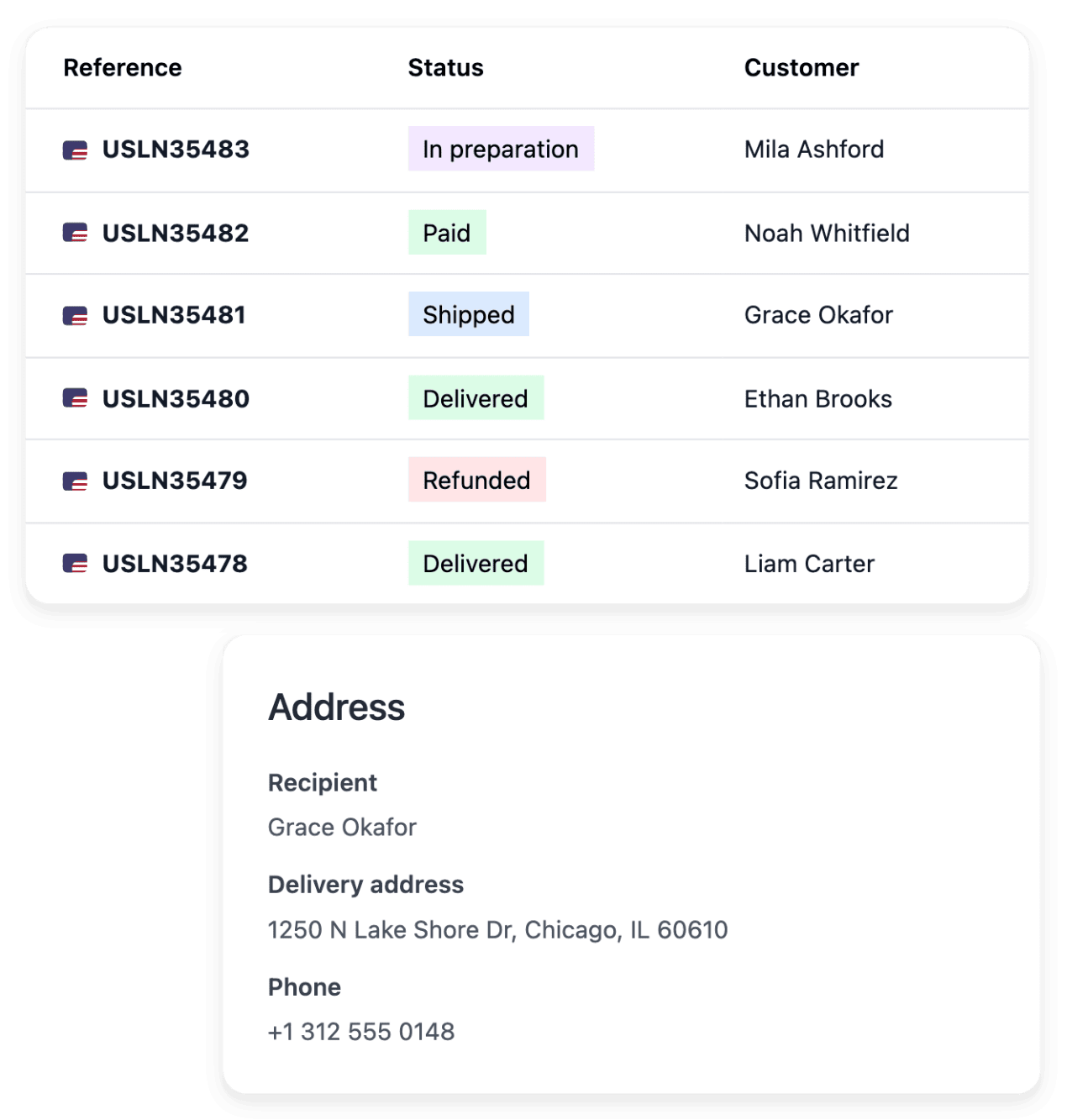
Os pedidos chegam ao workspace com seu pagamento e envio. Devoluções, reembolsos, pacotes recusados e reclamações do transportador permanecem vinculados ao pedido. Toda semana, a Ultineo emite uma linha de comissão por pagamento coletado, uma linha de crédito por reembolso e as operações metradas que você utilizou.
Who acts. Você gerencia a loja; a Ultineo emite a fatura semanalmente.
In detail
Um ponto de partida claro para a sua loja
Conte-nos sobre o seu negócio. Vamos analisar seu projeto e confirmar as condições aplicáveis à sua loja.
Perguntas frequentes
Sim. A abertura da sua conta é gratuita assim que sua solicitação for aceita, sem taxas mensais e sem compromisso mínimo.
Elas são separadas da comissão do Ultineo. Você pode usar sua própria conta compatível do Stripe, Adyen ou PayPal assim que a configuração estiver pronta. Seu provedor aplica seus próprios preços e condições.
Adicionar países, idiomas e moedas compatíveis não tem limite de quantidade nem sobretaxa de ativação. Você ainda precisa preparar a entrega, os pagamentos e as traduções; eventuais serviços cobrados por uso e custos externos continuam separados.
Billing follows a Monday-to-Sunday week in UTC. The following week allows adjustments, then the period is finalized and invoiced. The payment deadline is the one agreed for your account. An invoice still unpaid after its due date suspends your shop’s domains until it is settled.